A rig
Atomic modules bond the moment they touch edge to edge, and modules bonded together are a rig. Inside a rig no cable is needed: a CLK drives the SEQ to its right, and a QNT puts the CVs to its right on its scale. A strip, the bracket, runs along the top of the whole rig, with the word ATOMIC in its middle.
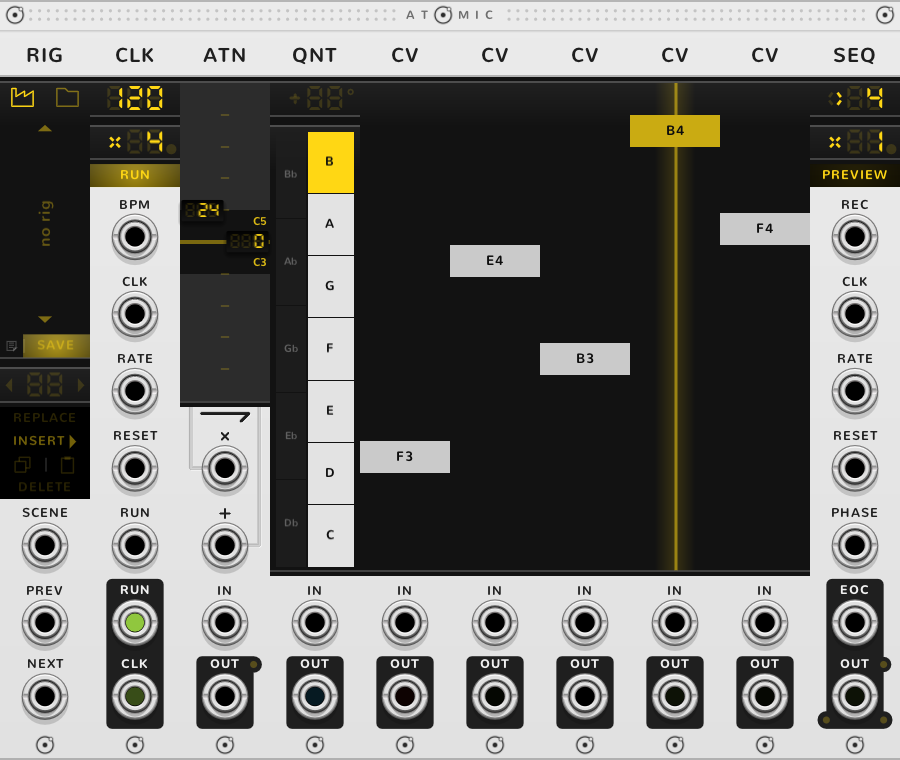
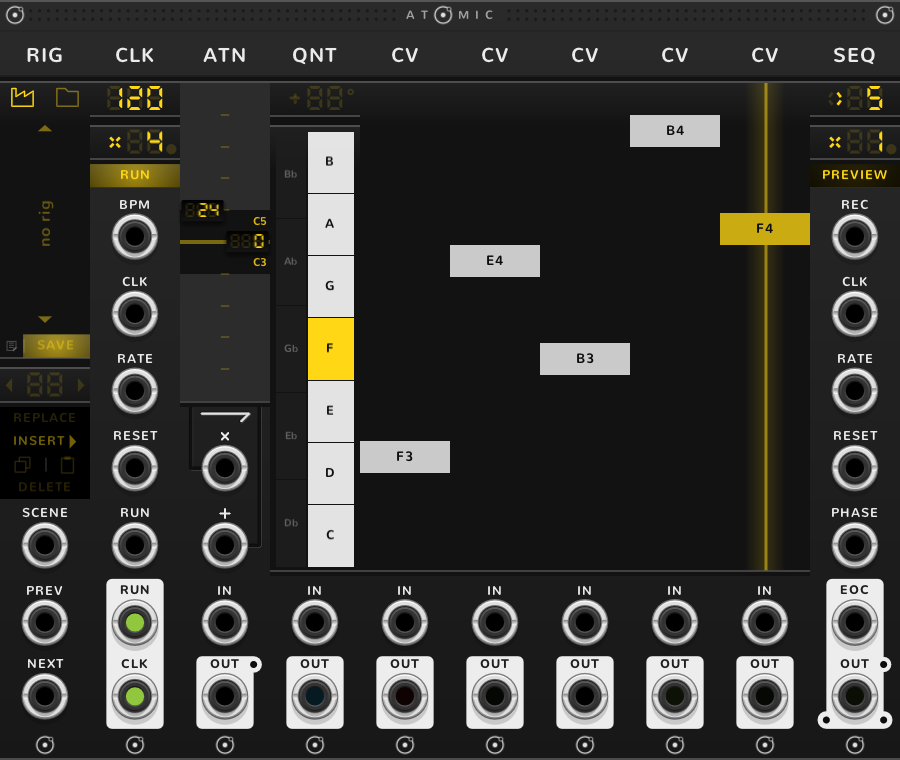
The rig ends where the modules stop touching: at a space, or at a module from another plugin. Modules apart are separate rigs and know nothing of each other. A bypassed module does not split the rig (see Taking a module out).
A RIG saves the rig, opens saved ones and stores scenes. Nothing bonds to its left, so it always stands at the left end. A GAP splits a rig in two: the bracket and a RIG at the left end run on over both sides, but no module on one side acts on the other.
The bracket
The bracket acts on the whole rig at once. Drag it to move the rig. With the pointer on it, Delete removes the rig, ⌘*-D or Alt-D duplicates it, and the same with Shift held duplicates it with its cables. In a rig with a SEQ or a CLK, the word ATOMIC turns to RESET under the pointer: click it to send every SEQ and CLK in the rig back to the start at once, across a GAP too. A stopped CLK stays stopped until RUN is pressed, as with its own RESET (see the CLK guide).
Taking a module out
To drop one CV from a sequence for a while, bypass it (⌘-E or Ctrl-E with the pointer on it). A bypassed Atomic module does nothing, but the rig stays whole: the bracket breaks over it, and the modules either side act on each other as though it were not there. A bypassed CV is no step, so the SEQ steps the others, one step fewer. To remove it for good, delete it with the pointer on the module, not on the bracket, where Delete removes the whole rig. Rack leaves a space where it stood, which splits the rig in two, each part under a bracket of its own. Drag the bracket of the right-hand part to the left until it touches, and the two bond into one rig again.
Blocks
Modules of one kind standing side by side, with nothing between them, are a block. Four CVs in a row are a block of four CVs; a QNT, then four CVs, is a block of one QNT and a block of four CVs. A block ends at the first module of another kind.
A block is what a SEQ steps through, one step per module, up to 255; a TRG gives a step per trigger. A block of CRVs is also one curve drawn across them all.
Which way each module acts
Each module acts on its neighbours in one direction. Some set something for what stands to their right, some only hold a value for others to read, and some take what stands to their left.
Setting what stands to the right
A QNT sets the scale of the CVs to its right: they show note names and land on its lit keys. An ATN sets the range and offset of the CVs or CRVs to its right.
A QNT's scale holds for every block of CVs to its right until the next QNT, and an ATN's range until the next ATN. A block with no QNT or ATN just before it plays on the same scale and range as the nearest block of its kind to its left. A QNT sets only CVs (see the QNT guide). An ATN's range carries on only for the kind of block it meets first: in ATN, four CVs, SEQ, four CRVs, SEQ, the ATN sets the range of the CVs, and the CRVs keep their full range. For those CRVs, put a second ATN just before them.
For example, in QNT, four CVs, SEQ, four CVs, SEQ, both blocks of CVs land on the QNT's keys, and the second SEQ plays the same scale as the first. Put an ATN before the second block of CVs and that block keeps the scale but takes the ATN's range. Faders that should stay off the scale go to the left of the QNT. A second QNT is best given its own ATN.
A SEQ stepping QNTs or ATNs passes on the scale or range of the one under its playhead, as the SEQ guide shows. An ATN standing before them still sets the range: in CLK, ATN, QNT, QNT, SEQ, four CVs, SEQ, the CVs take the scale under the first SEQ's playhead and the ATN's range.
A CLK drives every SEQ to its right, wherever it stands, until a second CLK further right takes over for the SEQs past it. A CLK with nothing in its RESET restarts whenever the CLK to its left does, but RUN is each CLK's own: stopping the left CLK leaves the second one running.
Holding a value
A CV holds a voltage, a CRV a curve and a TRG a row of triggers. They do nothing to their neighbours: a SEQ, a POLY or a MIX to their right reads them.
Taking what stands to the left
A SEQ steps through the modules to its left, one per step. A POLY merges the outputs of modules to its left into one poly cable, and a MIX sums them through a fader each.
An ATN does one of two jobs, shown by which of its two arrows is lit: it sets the range of what stands to its right, or it takes the signal to its left as its input (see the ATN guide). So ATNs make two kinds of block, which end each other: ATNs that set a range and ATNs that take a signal. An ATN with nothing on either side to work on shows no arrow and works on its IN alone.
How far a SEQ, a MIX or a POLY looks
A SEQ looks left for the nearest block of CVs, CRVs, QNTs, TRGs or ATNs, passing over any CLK, SEQ or MIX on the way, and steps through the whole of that block. So CLK, four CVs, SEQ is a sequence of four steps, and so is four CVs, CLK, SEQ. Two SEQs side by side both step through the block to their left, each with its own playhead and rate.
A POLY ends a SEQ's search. A SEQ that meets a POLY before any block arpeggiates the POLY's chord, one channel a step, unless a cable is in its POLY IN. With nothing to its left to step through, it arpeggiates the cable in POLY IN.
A POLY and a MIX look further: each takes every module of one kind to its left, at any distance, and a module one of them has taken is not taken again by another further right. The MIX guide says which kinds they take and in what order.
Nothing looks past the end of the rig or across a GAP.
Cables
A cable into a module's own input changes only that module; the rest of the rig works as before. A QNT with a cable in IN quantizes that cable and still sets the scale of the CVs to its right; a CV with a cable in IN follows the cable, landed on the scale and held inside the range that the QNT or ATN to its left sets, and a SEQ still steps through it.
A rig saved by a RIG keeps only the cables with both ends inside it; the RIG guide says which.
Two modules are exceptions. A cable in an ATN's IN makes it scale that cable alone, and it then sets nothing to its right. A cable in a POLY's IN turns the POLY round: it splits that cable onto the CVs and TRGs to its right, up to the next POLY, one channel to each CV and one per trigger to each TRG.
* ⌘ is Ctrl on Windows and Linux.