Alone
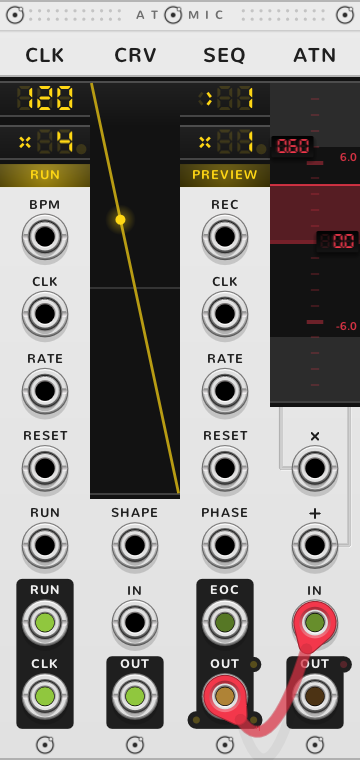
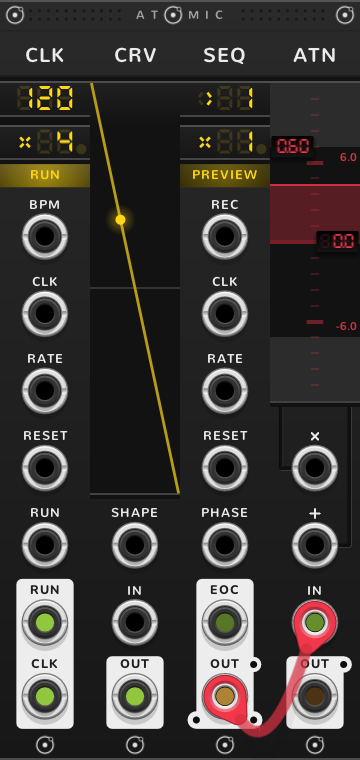
A signal at IN comes out at OUT times the gain, plus the offset. A negative gain turns it upside down. With nothing at IN, OUT gives the offset alone, so a lone ATN is also a steady voltage.


- Gain drag the left half of the screen; below 0 it inverts
- Offset drag the right half; added after the gain
- × CV for the gain: 10 V keeps it as set, 0 V leaves only the offset
- + CV for the offset, added volt for volt
- IN the signal
- Clamp light: OUT held inside the range
- OUT the signal, scaled and offset
The gain reads as a multiplier, x1.00 to start. A drag stops at x1, or at -1 going down; start a new drag there and carry it on to boost the gain up to x10. A thin line runs from × to the gain and from + to the offset. With nothing in ×, the gain is as set, and below 0 V, × inverts it.
For a VCA, patch a sound into IN and an envelope into ×: at 10 V the sound passes at the gain set, and at 0 V only the offset is left, silence with the offset at 0.
The small light right of OUT is the clamp, off to start. Lit, it holds OUT within the offset plus or minus the gain times 10 V: x0.50 and +2 V hold it between -3 V and +7 V.
With a cable in IN, the screen takes that cable's colour.
Bonded
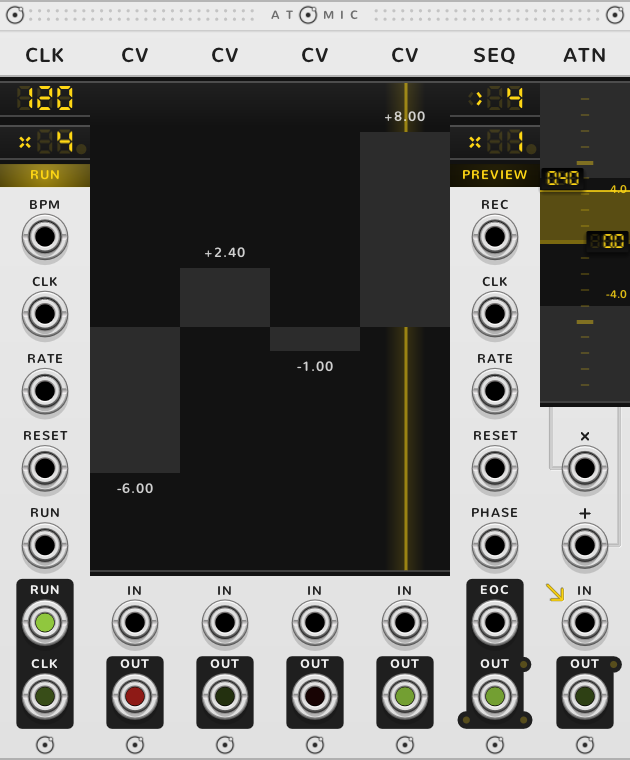
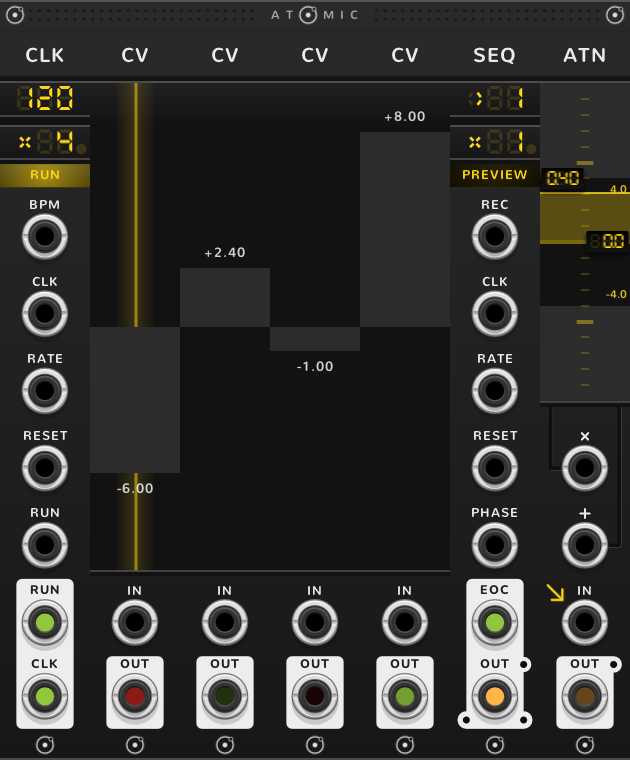
Atomic modules pushed edge to edge bond into one rig. In a rig an ATN either sets the range of the modules to its right, or takes the module to its left as its input. One of its two arrows is lit to show which: under the screen pointing right, or pointing into IN. Click the other to switch. Each arrow shows only when it has something to work on.
Setting a range
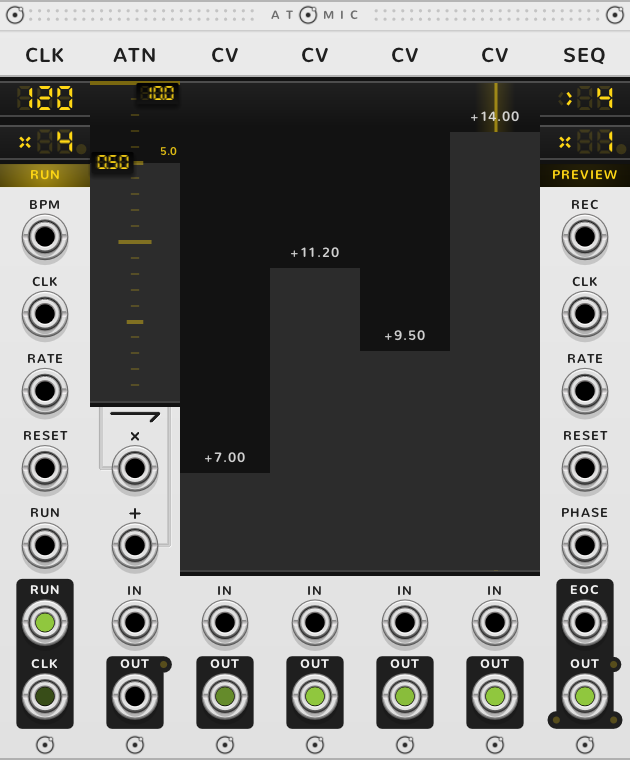
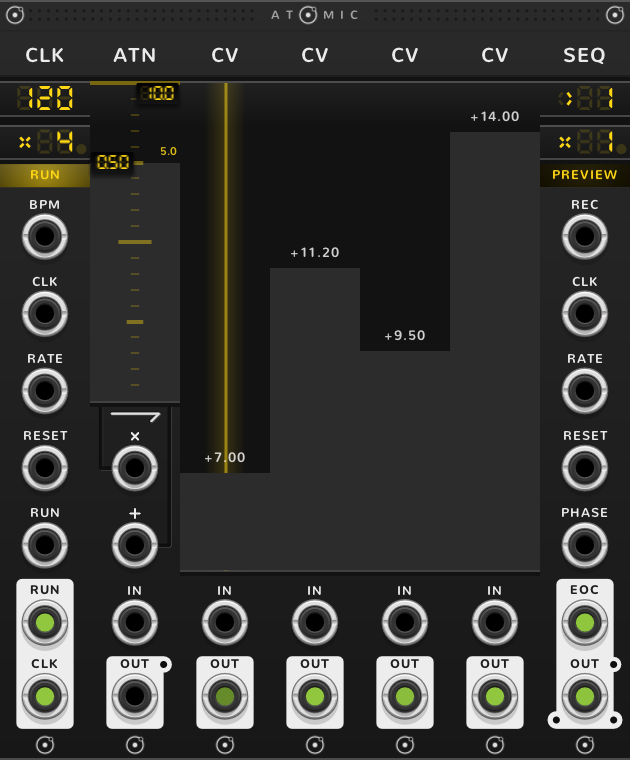
With the right arrow lit, the ATN sets the range of the modules to its right. Over CV faders, each fader's OUT is its position, from -1 at the bottom to +1 at the top, times the gain times 10 V, plus the offset: a gain of x0.50 and an offset of +10 V make the faders span +5 V to +15 V, past 10 V. Over CRVs, the gain and offset set the range their points and IN move in.
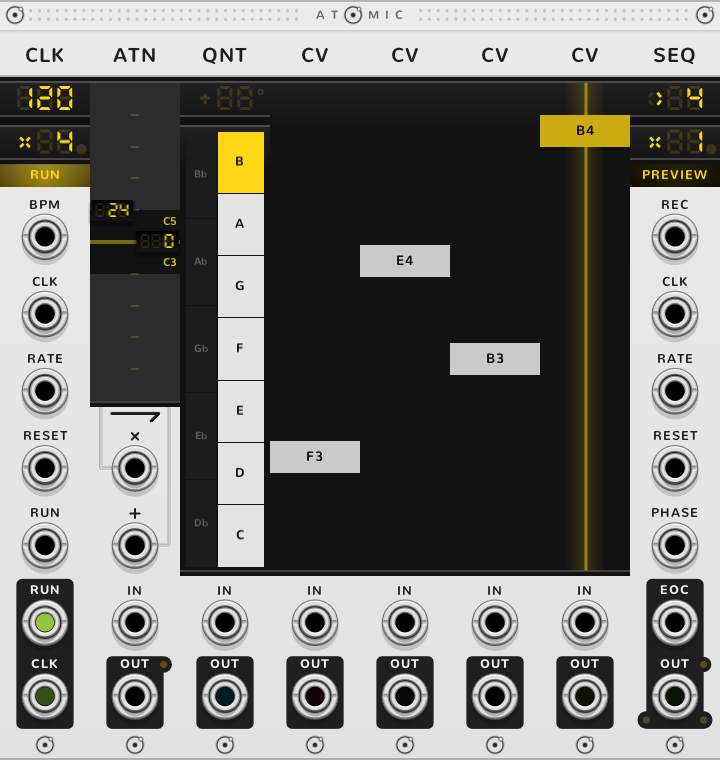
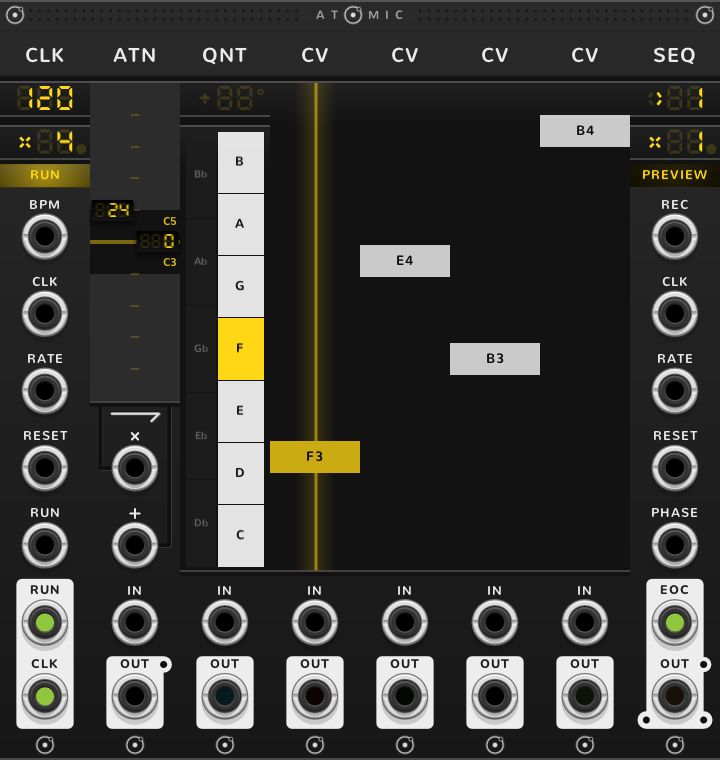
Over a QNT and the CV faders to its right, the gain sets how wide a span the faders reach, shown on its handle in semitones from the lowest note to the highest; the offset transposes along the scale.
× and + work here too: an LFO into × sweeps the range of every fader to its right.
Taking the module to its left
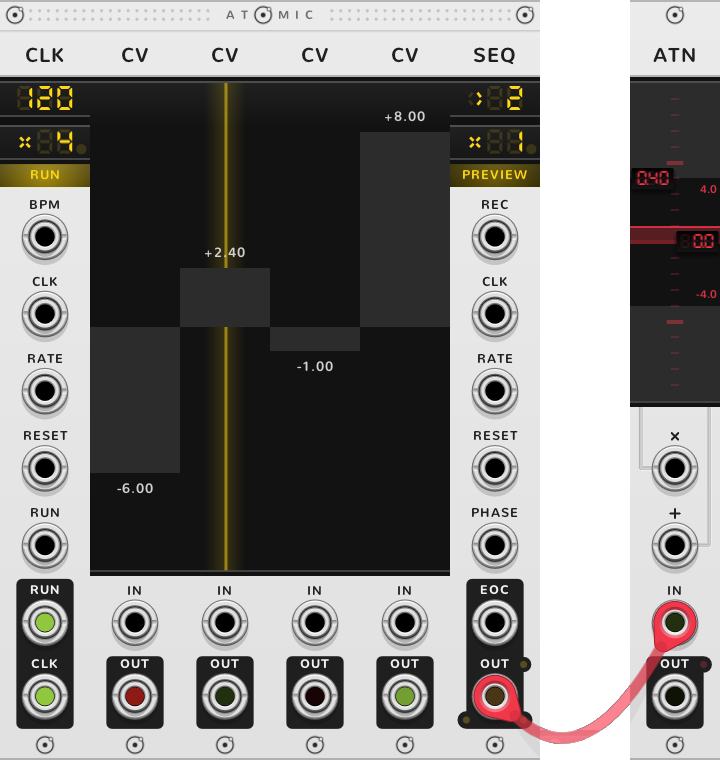
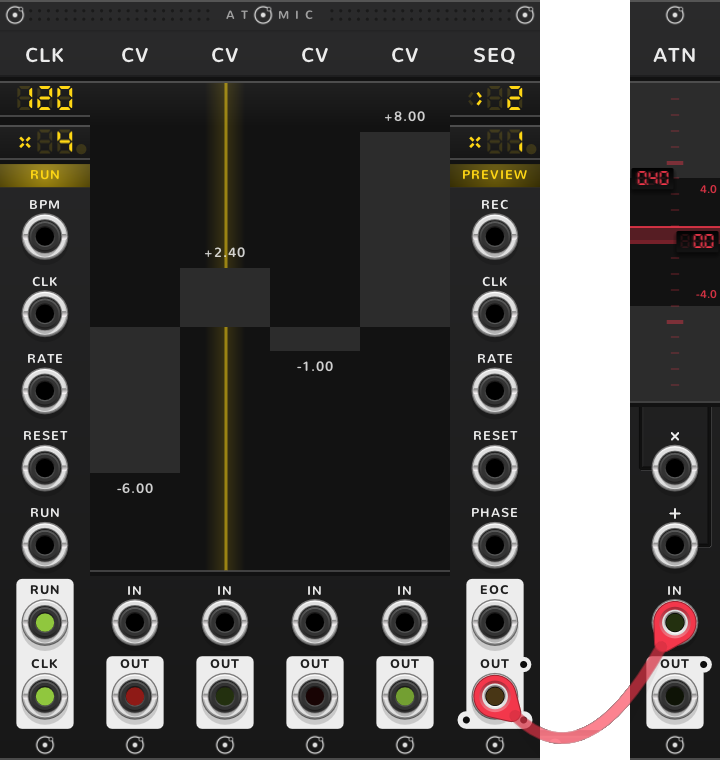
With the IN arrow lit, the ATN takes the module to its left as its input, exactly as if a cable ran from that module's OUT into its IN, and shapes nothing to its right.
A cable in IN
A cable in IN overrides both arrows, which are hidden while it is in: the ATN works on what the cable brings, as it would alone, and stops shaping the modules to its right. Pull the cable and the arrows come back as they were.
Stepped by a SEQ
With a SEQ to the right of a row of ATNs, each ATN is a step: the SEQ's OUT switches from one ATN to the next, and a signal patched into the SEQ's top jack is sent into whichever ATN is playing.
Shortcuts
| Where | Gesture | What it does |
|---|---|---|
| Gain | Drag | the gain |
| Gain | Drag again from x1 | boost, up to x10 |
| Gain | Shift-drag | gain by 0.1 |
| Gain, offset | ⌘*-drag | fine |
| Gain, offset | Shift+⌘-drag | finer |
| Offset | Shift-drag | offset on whole volts |
| Range (over a QNT) | Shift-drag | range by octaves |
| Transpose (over a QNT) | Shift-drag | transpose by octaves |
| ATNs side by side | Drag across | draw their gains or offsets in one stroke |
| Clamp | Click | on or off |
| Arrows | Click | shape the right, or take the left |
On every module
| Where | Gesture | What it does |
|---|---|---|
| A value on a screen | Double-click | back to its default |
| Any part | Rest the pointer | a tooltip explains it |
| A module's title | Hold ⌘ or Alt | the Atomic menu: change this module into another kind, or insert one beside it |
| The Atomic menu | Shift+⌘-click | delete the module |
| The bracket | Delete | remove the whole rig |
| The bracket | ⌘-D or Alt-D | duplicate the rig; with Shift, its cables too |
| ATOMIC on the bracket | Click | it reads RESET under the pointer, and starts every SEQ and CLK of the rig again |
* ⌘ is Ctrl on Windows and Linux.