Alone
Patch a chord into POLY IN and a clock into CLK, and OUT plays its notes, one per tick. Each channel of the cable is a step, read live, so the chord can change as it plays.


- Direction forward, pendulum or reverse; click for the next
- Step the playhead; drag to choose a step
- Rate steps per clock tick
- Pie click to free the rate from whole steps
- Mode PLAY, PREVIEW, HALT, ONCE; click for the next
- POLY IN the chord to arpeggiate
- CLK a clock, one step per tick at rate x1
- RATE +1 V doubles the rate, -1 V halves it
- RESET back to step one
- PHASE the playhead by voltage
- EOC end of cycle: fires as each pass begins
- Slew light: glide from step to step
- BLEP light: band-limited jumps
- Oversampling light: for audio rate
- OUT the sequence
A pass is once through the steps; on pendulum, there and back. EOC fires at the start of every pass, the first included.
OUT is pitch or voltage only, with no gate: for a note per step, see A gate for every step below.
Bonded
In a rig, modules bonded edge to edge, the steps of a SEQ are the nearest block to its left, modules of one kind side by side: CV faders, CRVs, TRGs, QNTs or ATNs, up to 255. On the way it passes over any CLK, SEQ or MIX. The block ends at the first module of another kind, and anything further left is not a step: a CLK drives the SEQ, and an ATN or QNT left of CV faders sets their range or scale.
Bonded, POLY IN takes a new label by what the SEQ steps through: REC over CV faders, CRVs and TRGs, QNT IN over QNTs, ROUTE over ATNs. Over QNTs, OUT reads POLY, and over TRGs, TRIG.
Each SEQ has a colour, and the block it steps wears it, so two SEQs in one rig can be told apart: the first SEQ on a CLK is yellow, and each SEQ after it on the same CLK takes the next colour.
A CLK bonded on the SEQ's left can be the clock instead of a cable in CLK. A cable in the SEQ's own CLK wins: the SEQ follows the cable and ignores the CLK. With no block to its left, a SEQ still arpeggiates POLY IN; bonded to a POLY on its left, with nothing in POLY IN, it arpeggiates the POLY's chord.
CV faders: a step sequencer
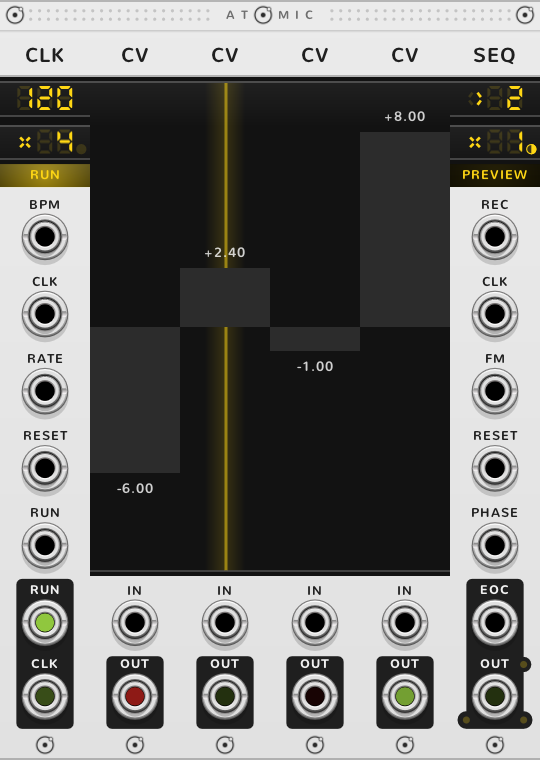
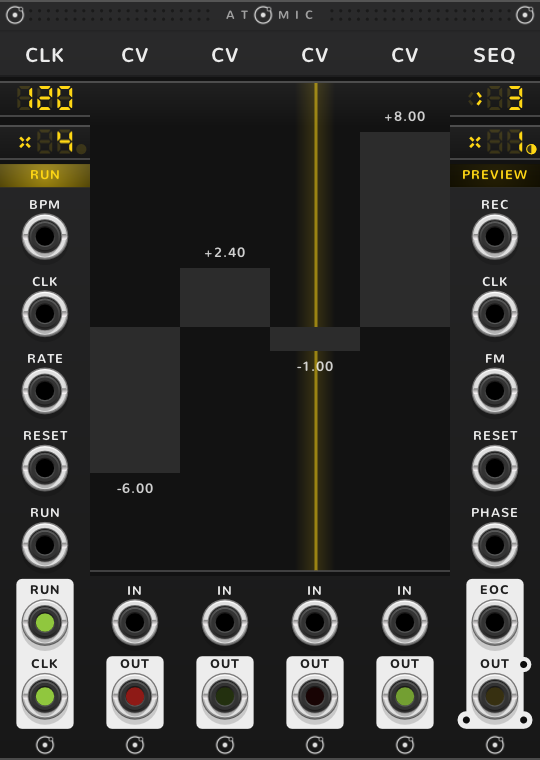
Each CV fader is a step's voltage. A yellow line through the fader marks the step playing.
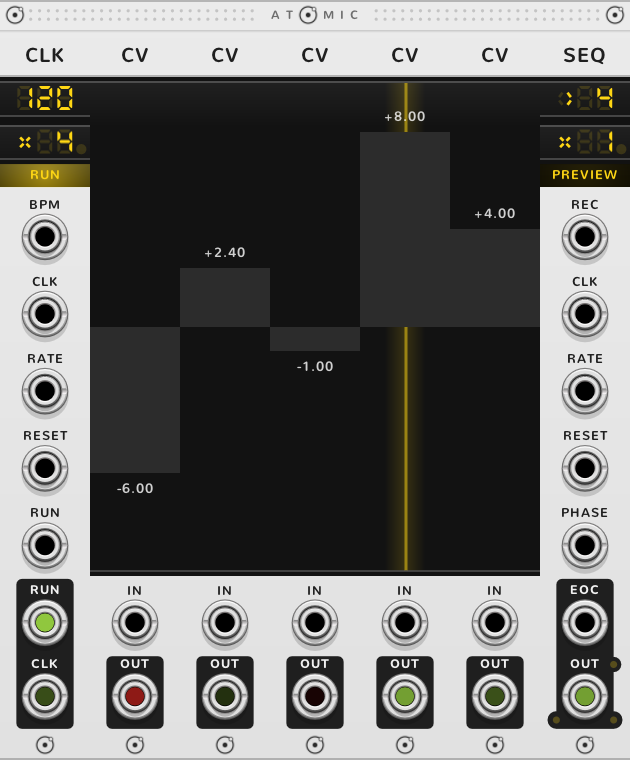
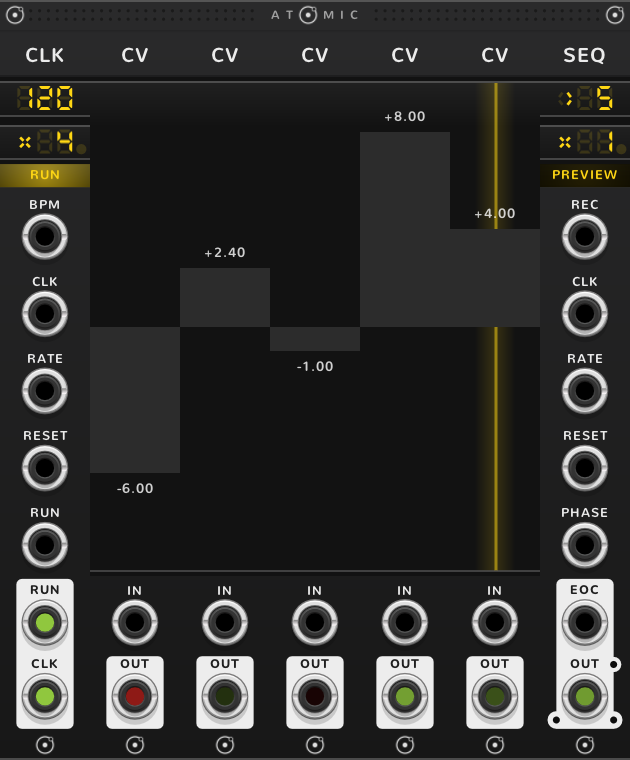
REC is for recording. As the playhead lands on a step, that fader takes the voltage at REC. To record from a keyboard, patch its V/OCT into REC and its gate into the SEQ's CLK: each key pressed writes its note and moves on a step. While a cable is in REC, the title reads REQ, its R in red, because every step the playhead lands on is being written over: the red is the warning, and pulling the cable stops the recording.
CRVs: an LFO or an envelope
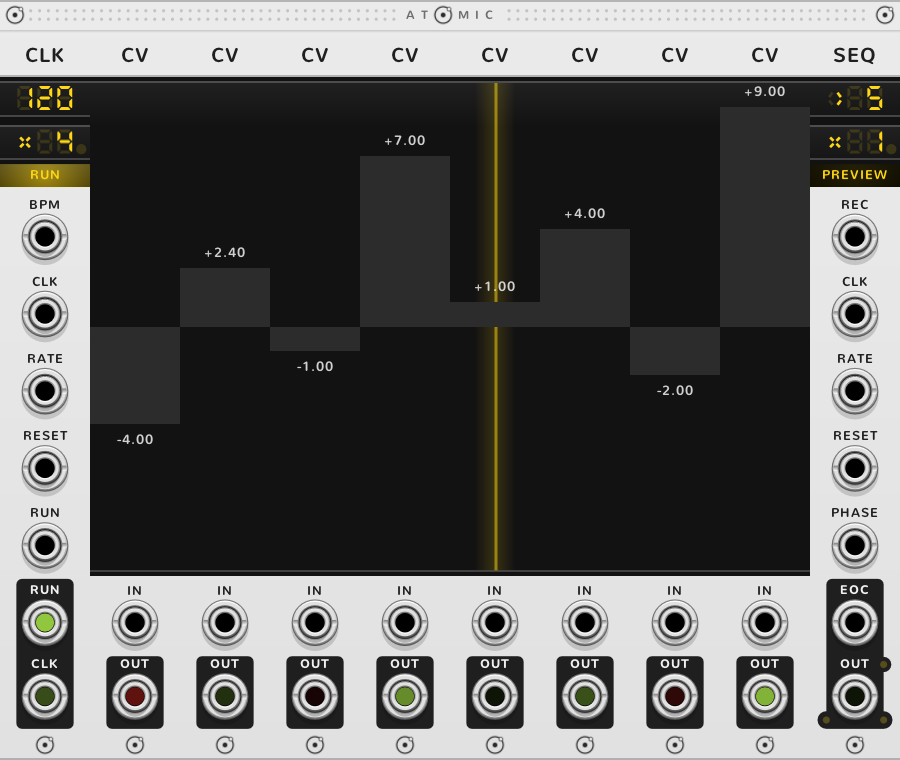
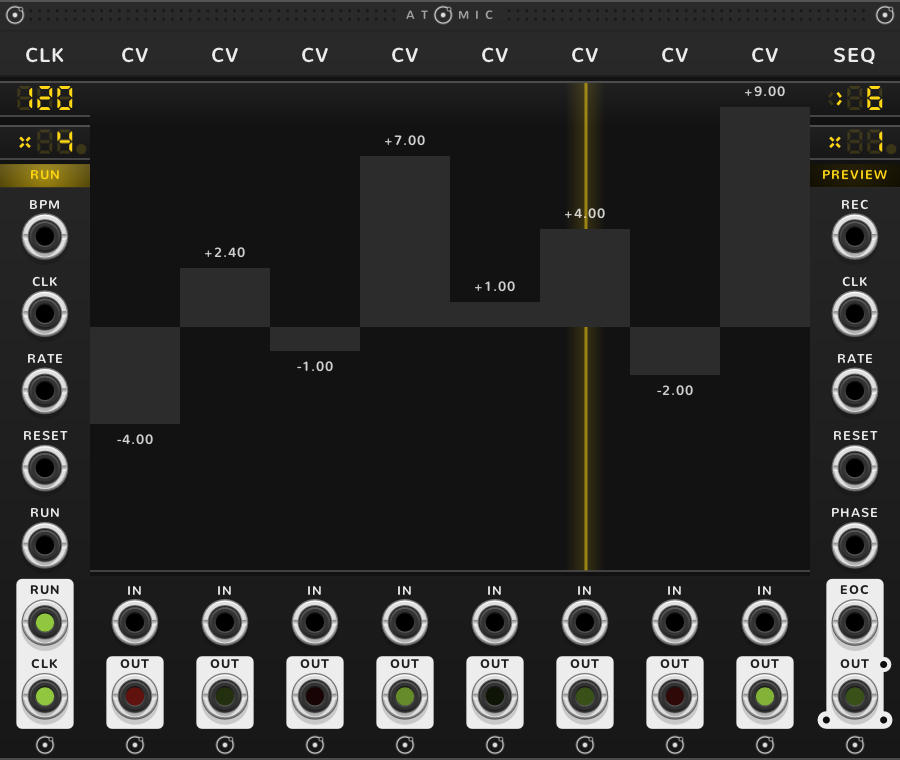
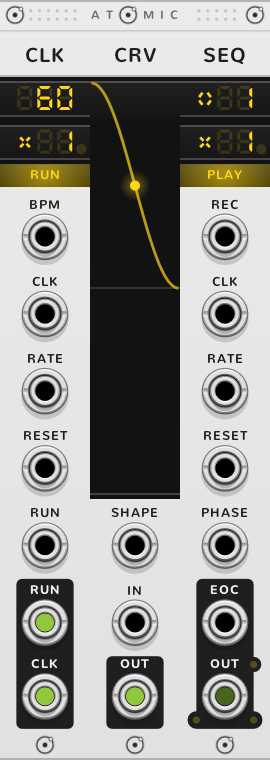
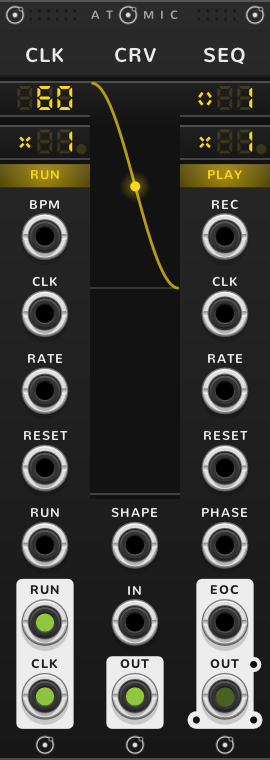
Each CRV is a segment of one shape. The SEQ plays through each curve across its step, so OUT moves smoothly. The CRV guide builds an LFO and an envelope from them. REC works here too: as the playhead lands on a CRV, its start point takes the voltage at REC.
TRGs: a trigger sequencer
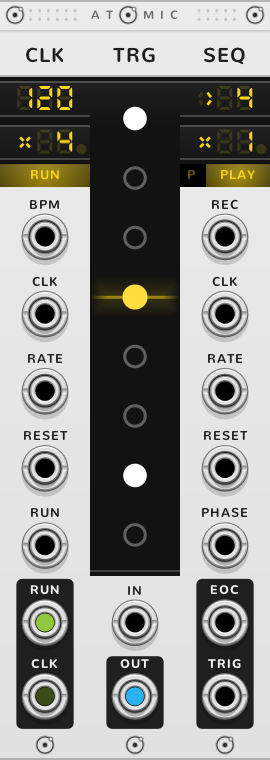
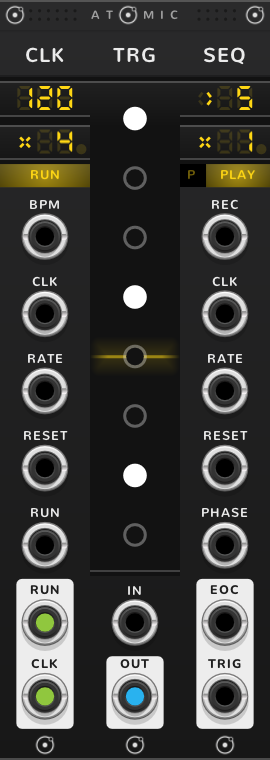
Each trigger of a TRG is a step, so one TRG of eight triggers is eight steps. OUT is labelled TRIG and fires a 1 ms trigger at 10 V as the playhead lands on a lit trigger; an unlit one is a rest. Triggers patched into REC are recorded, each on the nearest step.
The small square left of the mode button, marked P, turns on poly steps. Then each TRG is one step, and its lit triggers fire together, one channel per trigger, on a poly cable labelled POLY: up to sixteen trigger tracks stepped together.
QNTs: a chord sequencer
Each QNT is a step, and OUT, labelled POLY, gives that step's chord: the keys lit on a keyboard, or the notes drawn on a piano roll. A voltage patched into QNT IN is quantized by the QNT under the playhead and comes out at OUT in place of the chord, so the scale changes with each step.
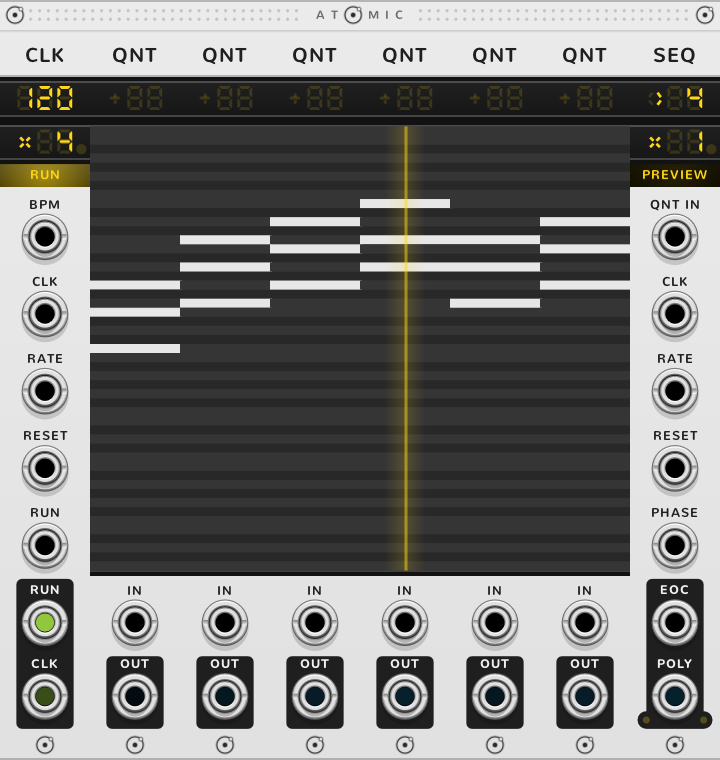
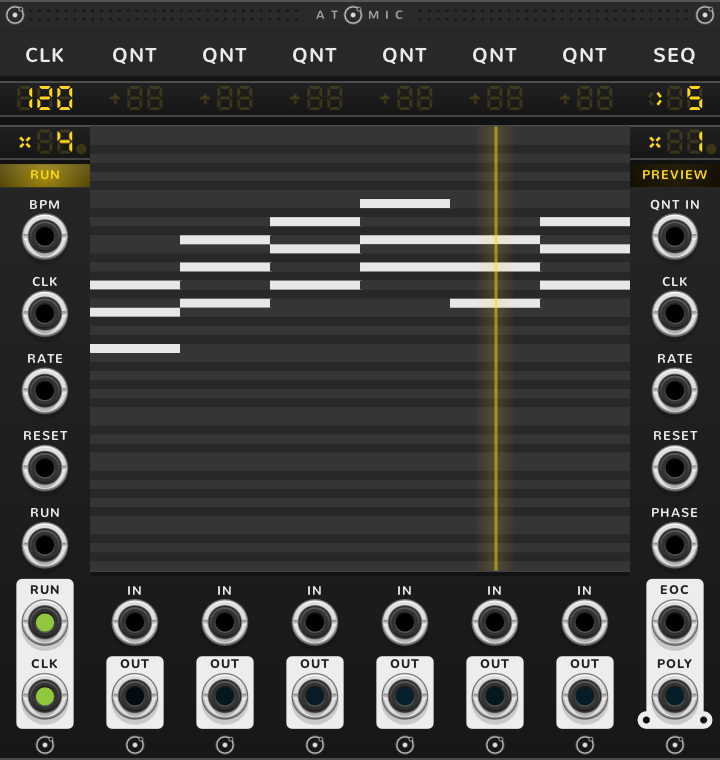
ATNs: a switch and a router
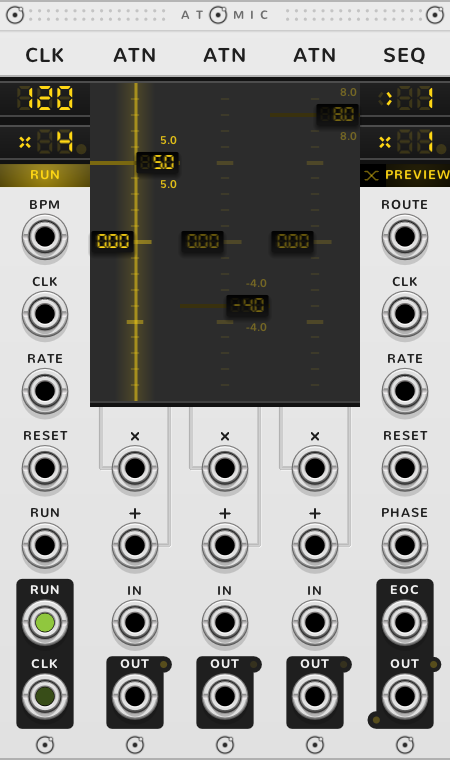
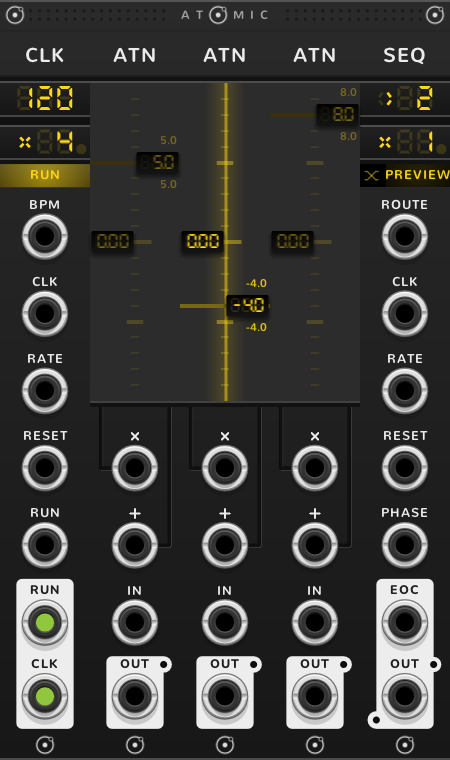
Each ATN is a step, and OUT gives the ATN playing. A signal patched into ROUTE goes through the ATN playing and comes out of its own OUT as well as the SEQ's. Patch an oscillator into ROUTE and cable each ATN's OUT to a different filter, and the SEQ hands the sound to each in turn. While a cable is in ROUTE the title reads ROQ, its first two letters red.
The small square left of the mode button, marked with a crossing, turns on crossfade: OUT then fades from one ATN to the next across the step.
Modes
A click on the mode button goes round PLAY, PREVIEW, HALT, ONCE and back to PLAY. PREVIEW is there only when the SEQ steps through something you edit by dragging, CV faders, CRVs, QNTs or ATNs, and is the default there; alone, or over TRGs, a click goes round PLAY, HALT and ONCE.
| Mode | What it does |
|---|---|
| PLAY | Steps on the clock. Editing a step changes it without interrupting the sequence. |
| PREVIEW | Steps on the clock too, but while you drag a step's fader or curve, OUT plays that step so you hear the edit. |
| HALT | Ignores the clock and stays on the step the screen shows. |
| ONCE | One pass, then it stays on the last step until a reset starts it again. |
The mode button lights while the SEQ walks: steady in PLAY, breathing in PREVIEW, dark in HALT. In ONCE the light is the pass: it goes dark from the left a share a step, so what is still lit is what is left to play, the last step a small square at the right end, and it is dark before the pass and after it.
In ONCE, OUT keeps giving the last step, and over CRVs the end of the last curve. A pendulum pass ends where the next would begin, so on pendulum ONCE goes to the last step and back to step two, or over CRVs back to the start of the first curve. Stopping and starting the CLK does not start a finished pass again; a reset does. To start a ONCE pass when you press RUN, stop the CLK, click RESET on the bracket, then press RUN.
Shift-click goes to PLAY, or to HALT if already in PLAY; ⌘*-click goes to HALT, or to PLAY if already in HALT.
Step and direction
Drag the step number to choose a step. With the clock running, the SEQ moves to the step you let go on at the next tick; in HALT, the step you drag to plays at once.
The mark left of the step number is the direction; click it for the next.
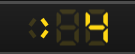
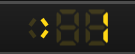
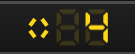
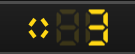
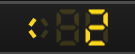
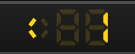
There is no random order. For steps in random order, set the mode to HALT and patch a random voltage from 0 to 10 V into PHASE, a sample and hold from another plugin clocked by the CLK's CLK out, say: each new voltage jumps the playhead to the step it falls on (see Phase, below).
Whole and free rate
The rate is how many steps the SEQ takes for each clock tick, from /255 to x255. Drag the number to set it. The sign before the number reads × for a multiple and / for a division; the screen draws the slash as one stroke of the ×.
A whole rate, for music on a grid, moves only in steps, x2, x3, /4, and a change lands on the next clock tick, so the sequence stays on the beat. A voltage at RATE snaps to the nearest step too.
Click the pie, the small dot right of the number, to make the rate free, for a SEQ used as a signal, swept by an LFO or drifting from its clock. A free rate takes any value, a change is heard at once, and a voltage at RATE sweeps it smoothly; the jack's label changes to FM. Drag the pie to set the part past the whole number.
Phase
PHASE moves the playhead by voltage. 0 to 10 V takes it once through a pass, and negative volts move it back. 0 V is the step the SEQ would stand on without PHASE: where the clock has put it, or in HALT the step you chose, step one after a reset. The 10 V is shared equally along a pass: going forward through five steps, each step is 2 V wide, so 0 to 2 V is that step and 2 to 4 V the next. Driven by a running clock, PHASE offsets the playhead from where the clock puts it. With PHASE patched, EOC becomes STEP and fires each time the step changes.
To drive the playhead from PHASE alone, give the SEQ no clock, by cable or bonded, or set the mode to HALT, which ignores the clock. A slow ramp into PHASE then scans the steps, and an LFO plays them back and forth at its own speed.
Reset
A trigger at RESET sends the SEQ back to step one. With a clock, a cable in CLK or a CLK in BPM, step one waits for the next tick; a reset up to 1 ms after a tick counts as coming with it and plays step one on that tick, so a bar trigger sent with the clock resets cleanly. In HALT, or with no clock, step one plays at once. In ONCE a reset starts another pass. Driven by a CLK in Hz, RESET is a sync: it restarts the cycle at once.
A trigger at a CLK's RESET sends every SEQ that CLK drives back to step one at once, with a tick.
A gate for every step
A SEQ's OUT over CV faders, QNTs or CRVs is pitch or voltage only; nothing on the SEQ opens and closes a note. Two things in a rig give the gate.
The CLK's CLK out is high for the first half of every tick, and with the SEQ at rate x1 a tick is one step, so it is a gate on every step. For a first melody, bond a CLK, a QNT, an ATN, four CV faders and a SEQ. Cable the SEQ's OUT into an oscillator's V/OCT and the CLK's CLK out into an envelope's gate, and the envelope into a VCA after the oscillator. The CLK starts at rate x4, so its ticks fall on sixteenths: at 90 BPM the four notes take one beat. Set the CLK's rate to x1 for a note a beat.
For rests, a TRG row: bond a TRG and a second SEQ to the right of the first SEQ. The second SEQ steps the TRG in time with the first, and its OUT, labelled TRIG, fires a 1 ms trigger on each lit trigger and nothing on an unlit one. Shift-drag the TRG to as many triggers as the melody has steps, and light the steps that should sound. Being a trigger, not a gate, it suits an envelope that runs on a trigger, an attack and a decay, rather than one that holds while the gate is high.
Slew and anti-aliasing
The small light right of OUT is slew: with it on, OUT glides from step to step. Shift-click turns it on or off (a plain click does nothing), and dragging it sets the glide time, from 1 ms up to half a second. It starts at 1 ms, too short to hear, so after turning it on, drag it up.
The two lights under OUT cut aliasing when the SEQ runs at audio rate: the left one band-limits the jumps (BLEP), the right one oversamples. A click turns both on or off. Turning slew on turns them off, and the other way round.
Shortcuts
| Where | Gesture | What it does |
|---|---|---|
| Step | Drag | choose a step: at the next tick, or at once in HALT |
| Step | Double-click | back to step one |
| Direction | Click | forward, pendulum or reverse |
| Mode | Click | the next mode |
| Mode | Shift-click | PLAY, or HALT if already in PLAY |
| Mode | ⌘-click | HALT, or PLAY if already in HALT |
| Rate | Click the pie | whole or free rate |
| Rate | Drag the number | the rate |
| Rate | Drag the pie | between whole rates |
| Rate | Shift-drag | rate by octaves |
| Rate | ⌘-drag | fine |
| Rate | Shift+⌘-drag | finer |
| Slew | Shift-click | slew on or off |
| Slew | Drag | the slew time |
| Slew | ⌘-drag | fine |
| BLEP or oversampling light | Click | both on or off |
| BLEP or oversampling light | ⌘-click | both, on every SEQ of the rig |
| BLEP or oversampling light | Shift+⌘-click | the clicked light alone |
| P square (over TRGs) | Click | poly steps on or off |
| Crossfade square (over ATNs) | Click | crossfade on or off |
On every module
| Where | Gesture | What it does |
|---|---|---|
| A value on a screen | Double-click | back to its default |
| Any part | Rest the pointer | a tooltip explains it |
| A module's title | Hold ⌘ or Alt | the Atomic menu: change this module into another kind, or insert one beside it |
| The Atomic menu | Add Shift, click DELETE on its top line | delete the module |
| The bracket | Delete | remove the whole rig |
| The bracket | ⌘-D or Alt-D | duplicate the rig; with Shift, its cables too |
| ATOMIC on the bracket | Click | it reads RESET under the pointer, and starts every SEQ and CLK of the rig again |
* ⌘ is Ctrl on Windows and Linux.