Three variants
A QNT moves a voltage onto the nearest note of a scale you choose. While the pointer is over a QNT, arrows appear either side of its title; click one for the next variant. Each variant keeps its own settings, so stepping away loses nothing. QNTs standing side by side change variant together.






The keyboard
A new QNT is a keyboard with C major lit: the lit keys are white, the rest dark. The dark keys are not a piano's black keys but keys out of the scale, and any of them lights like the others: click Eb and it turns white. Click a key, or drag across several, to light or clear them.
A voltage at IN comes out at OUT on the nearest lit key, 1 V per octave. Patch a random voltage or a slow LFO into IN and OUT is a melody in the lit scale. With IN empty, OUT gives the lit keys as a chord, one channel per key, from C4 up. If more than sixteen keys are lit, the lowest sixteen sound.
The QNT knows only which keys are lit, not which one is the root. D dorian is the notes of C major, so a new QNT already plays it; the melody coming in must stress D.
- Arrows the next variant, shown under the pointer
- Transpose drag to move the notes
- ° degrees or semitones
- Dark key out of the scale
- White key in the scale
- IN the voltage to quantize
- OUT quantized, or the scale as a chord
Transpose, by degrees or semitones
Drag the top screen to transpose, or Shift-drag to go by octaves. The small ° beside it chooses how: lit, the default, by degrees of the scale; dark, by semitones. In degrees every note moves along the scale and the keys stay as set: in C major, one degree up turns a C into a D and an E into an F. In semitones every note moves by the same interval: the lit keys stay where they are, and the letters on them change to the notes they now play.
The QNT has no jack for transpose, and nothing transposes its own OUT by voltage. Over CV faders, an ATN does it for the faders: see Quantizing CV faders below.
Rotate the scale
⌘*-drag over the keys to move the lit pattern round the octave a semitone at a time, so the same intervals start on another key: C major moved up two keys is D major. While you drag, a readout names the scale the keys now make.
Microtonal detune
Shift+⌘-drag on a key detunes that key alone, up to 99 cents either way.
Octaves
Shift-drag over the keys adds or removes octaves, from one to ten. Each octave added is twelve more keys to light, so a pattern can span several octaves, and the whole pattern repeats above and below them. The chord at OUT is every lit key across all the octaves, from C4 up.
The piano roll
A new roll spans four octaves, C2 to C6, with C4 in the middle, and its notes do not repeat: a voltage at IN goes to the nearest drawn note, and with IN empty OUT plays the drawn notes as a chord, each in the octave where it is drawn. So a chord keeps the voicing you draw, which a keyboard's repeating pattern does not.
Click a note, or drag across several, to light or clear them, as on the keyboard. ⌘-drag moves the drawn notes, Shift-drag adds or removes octaves, up to ten, and Shift+⌘-drag scrolls the roll up or down the piano. Its transpose moves every note by semitones and leaves the drawing as it is.
The volt divider
Drag the top screen for the number of parts, up to 255. A new divider stands at 0 parts, which quantizes nothing: the voltage passes untouched. That is also a way to stop a QNT quantizing without taking it out of a rig.
The parts divide 10 V, not an octave, so for N notes per octave set ten times N: 120 for twelve-tone, 190 for nineteen. Twelve parts are 0.83 V each, not semitones. Past 99 the screen counts in hexadecimal, its small mark lit, so 120 reads 78 and 190 reads bE; the tooltip gives the number in decimals.
With N parts, lines stand 10/N V apart, from 0 V up and down. A voltage goes to the line between it and 0 V: above 0 V, the line at or below it; below 0 V, the line at or above it. So the line it lands on is the part the screen lights for it, but unlike the keyboard it does not go to the nearer line, and a voltage a hair under a line falls a whole part. For the nearer line, add half a part to the voltage before IN: at 190 parts, half a part is about 26 mV.
The large screen below the number sets the spacing: equal by default, bent toward exp or log by a drag, finely with ⌘. Past log it switches to the harmonic series from C4: the lines are then the harmonics of C4, and the top number counts how many. Shift-drag snaps to exp, log and the harmonics, and a double-click goes back to equal. With IN empty, OUT gives the lines from 0 V up as a chord, the first sixteen.
Bonded
Quantizing CV faders
Place a QNT to the left of CV faders standing side by side, and the faders show note names and land on its lit keys. Transpose the QNT and they all move. While a SEQ plays the faders, the key of the note sounding lights in the SEQ's colour: in the picture the playhead is on the fader at C8, so the key C is lit.
A QNT acts only on what stands to its right: every CV fader there lands on its keys, past a SEQ too, up to the next QNT (see How rigs work). It never sets a CRV. If several QNTs stand side by side to the left of the CVs, the rightmost one sets their scale and the others give only their own OUT. ⌘-drag on the top screen transposes all of them together.
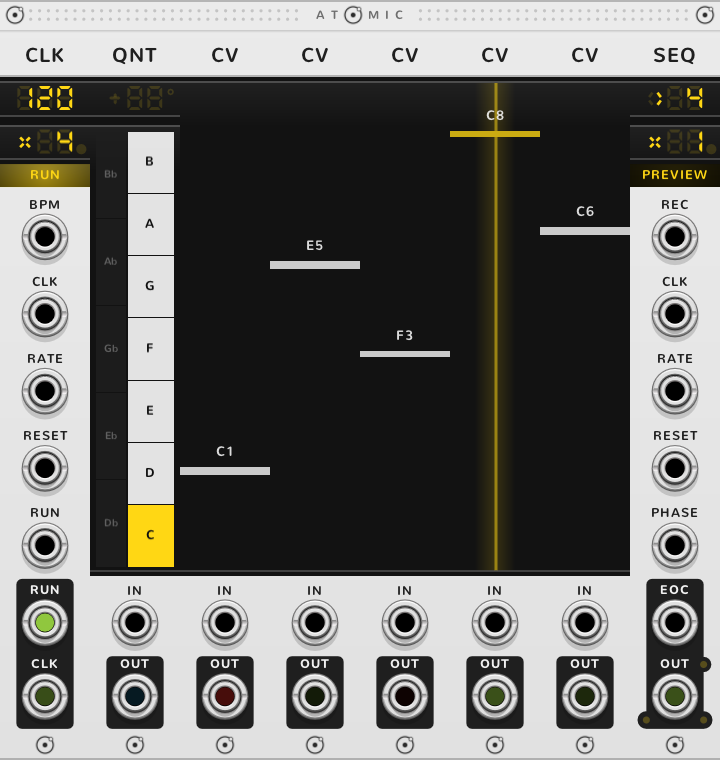
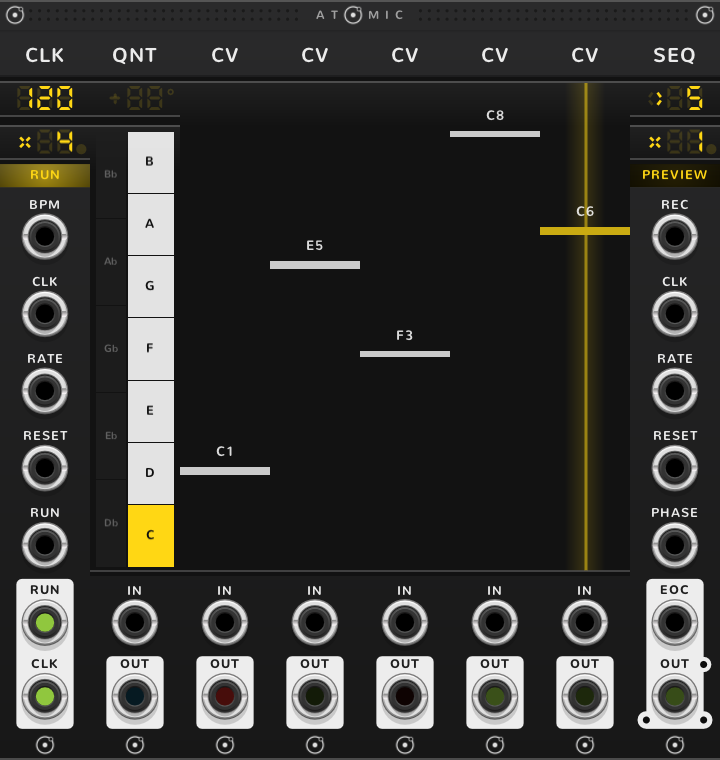
An ATN to the left of the faders, on either side of the QNT, does two jobs for them at once: its gain sets how wide a span of notes the faders reach, and its offset transposes them along the scale. The ATN changes only the faders; the QNT's own OUT stays as it was.
A voltage at the ATN's + jack is added to its offset, at 1/12 V a semitone, and moves the faders along the scale the same way. The rule: the voltage names a key, counted up from the lowest lit key, which is C whenever C is lit, and every fader moves up the scale by as many steps as that key stands above the lowest lit key. A voltage that names a key out of the scale counts as the nearest lit key, the upper one at a tie. In C major:
| Steps | C moves to | Volts at + |
|---|---|---|
| 1 | D | 2/12 V, 0.167 V |
| 2 | E | 4/12 V, 0.333 V |
| 3 | F | 5/12 V, 0.417 V |
| 4 | G | 7/12 V, 0.583 V |
| 7 | C an octave up | 1 V |
Every fader moves the same number of steps, so a chord of C, E and G becomes E, G and B at two steps. C sharp, 1/12 V, is out of the scale and counts as D, one step. With all twelve keys lit, every semitone is a step, and the + jack is plain 1 V per octave.
Chord sequences
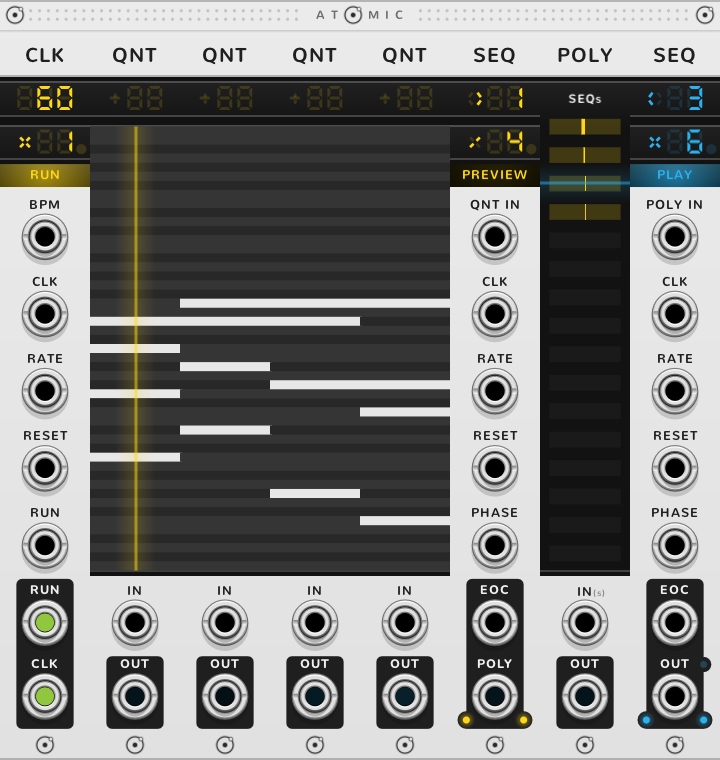
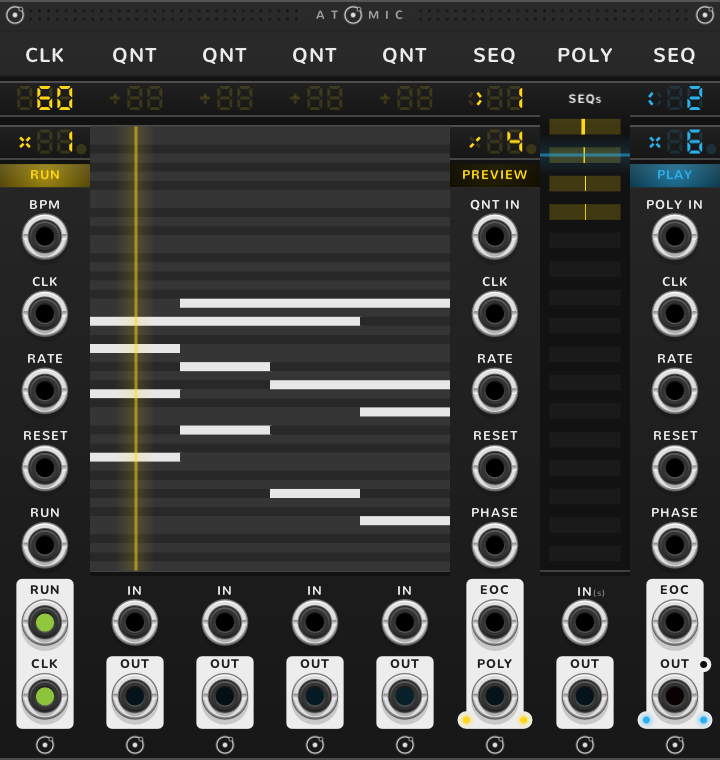
QNTs side by side can also be a SEQ's steps. A SEQ to their right plays one QNT per step, each a scale or a chord: draw a chord in each roll and the SEQ walks a progression. In a rig the QNTs of a block share one screen, each roll a column of it. The chord of the step playing comes out of the SEQ's OUT, labelled POLY here. The jack a lone SEQ labels POLY IN reads QNT IN here: a voltage there is quantized by the QNT under the playhead and comes out at OUT in place of the chord, and OUT is labelled OUT again.
To choose the chord by voltage, set the SEQ's mode to HALT, so the clock does not move the playhead, and patch the voltage into its PHASE. 0 to 10 V is shared equally among the steps, counted from the step on the SEQ's step screen, step one unless you moved it. Over the six QNTs below, each chord is 10/6 V, about 1.67 V, wide: 0 to 1.67 V plays the first, 1.67 to 3.33 V the second. See the SEQ guide for PHASE.
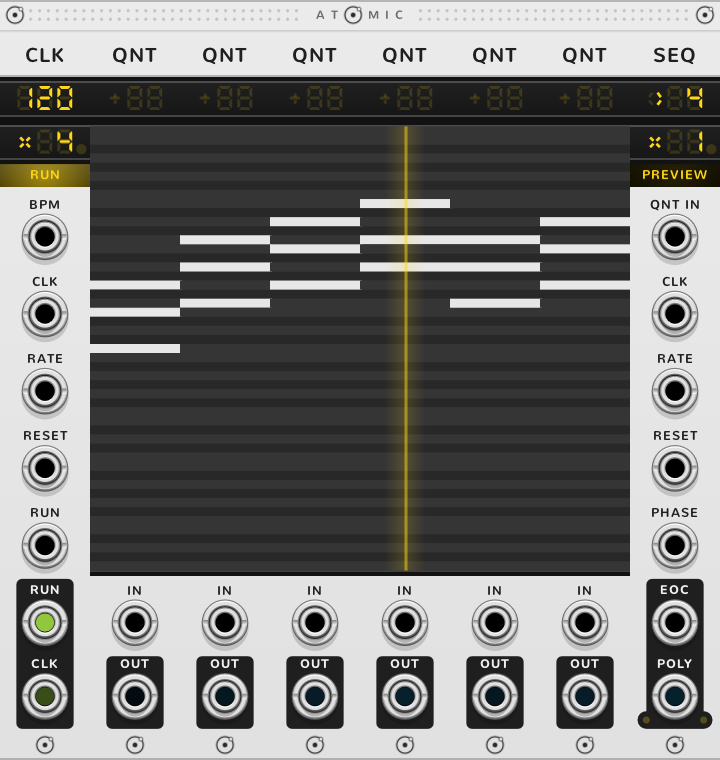
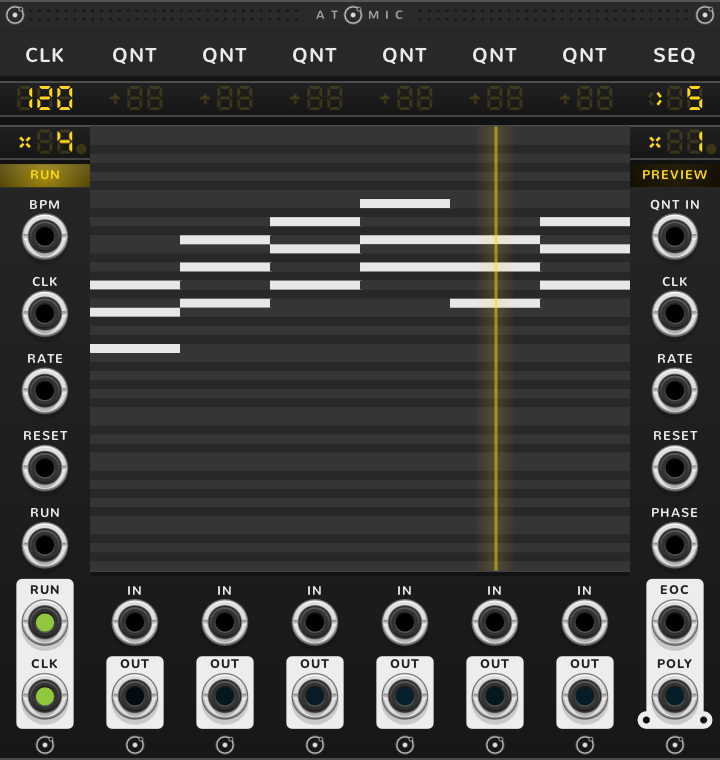
To play a chord as an arpeggio, patch a QNT's OUT into a lone SEQ's POLY IN. In a rig, bond a POLY and a second SEQ to the right of the first: the POLY takes the chord of the step playing, and the second SEQ plays its notes one at a time, with no cable.
Shortcuts
| Where | Gesture | What it does |
|---|---|---|
| Title | Click an arrow | the next variant |
| Transpose | Drag | transpose |
| Transpose | Shift-drag | transpose by octaves |
| Transpose, in a rig | ⌘-drag | transpose every QNT side by side with this one |
| Transpose, in a rig | ⌘-double-click | reset the transpose of those QNTs |
| ° | Click | semitones or degrees |
| Keys | Drag across | light or clear the keys |
| Keys | Shift-drag | add or remove octaves |
| Keys | ⌘-drag | rotate the scale |
| Keys | Shift+⌘-drag | detune this key |
| Roll | Drag across | light or clear the notes |
| Roll | Shift-drag | add or remove octaves |
| Roll | ⌘-drag | move the notes |
| Roll | Shift+⌘-drag | scroll the roll |
| Parts (divider) | Drag | the number of parts; 0 passes the voltage untouched |
| Spacing (divider) | Drag | spacing, up to log and the harmonics |
| Spacing (divider) | Shift-drag | snap to exp, log or harmonics |
| Spacing (divider) | ⌘-drag | fine |
On every module
| Where | Gesture | What it does |
|---|---|---|
| A value on a screen | Double-click | back to its default |
| Any part | Rest the pointer | a tooltip explains it |
| A module's title | Hold ⌘ or Alt | the Atomic menu: change this module into another kind, or insert one beside it |
| The Atomic menu | Add Shift, click DELETE on its top line | delete the module |
| The bracket | Delete | remove the whole rig |
| The bracket | ⌘-D or Alt-D | duplicate the rig; with Shift, its cables too |
| ATOMIC on the bracket | Click | it reads RESET under the pointer, and starts every SEQ and CLK of the rig again |
* ⌘ is Ctrl on Windows and Linux.