Opening a rig
A RIG stands at the left end of a rig, Atomic modules bonded edge to edge, and works on everything to its right.
The quickest way in is from any Atomic module: open its right-click menu and choose Atomic Help, then Spawn RIG to open factory rigs. A new RIG appears to the right of that rig, set to the factory's rigs and reading "no rig" until you pick one.
The two icons at the top of the RIG choose where it looks for rigs: the factory's, which come with Atomic, or your own folder, Atomic/rigs inside Rack's user folder (the RIG's right-click menu can set another). Click the name to list the rigs there and pick one. It replaces whatever stands to the RIG's right, with its cables, as one undo; cables from the old rig to modules outside it are lost. The arrows above and below the name open the previous or next rig the same way.


- Factory the rigs that come with Atomic
- Your rigs your own folder
- Arrows open the previous or next rig
- Name click to list the rigs and pick one
- Note write or read the rig's note
- SAVE save the rig as a file
- Scene the current scene; drag, or click ◂ ▸
- REPLACE write over the current scene
- INSERT add a scene after it
- COPY the left icon: copy the current scene
- PASTE the right icon: insert the copy after the current scene
- DELETE take the scene out
- SCENE choose or morph by voltage
- PREV a trigger steps back a scene
- NEXT a trigger steps on a scene
Scenes
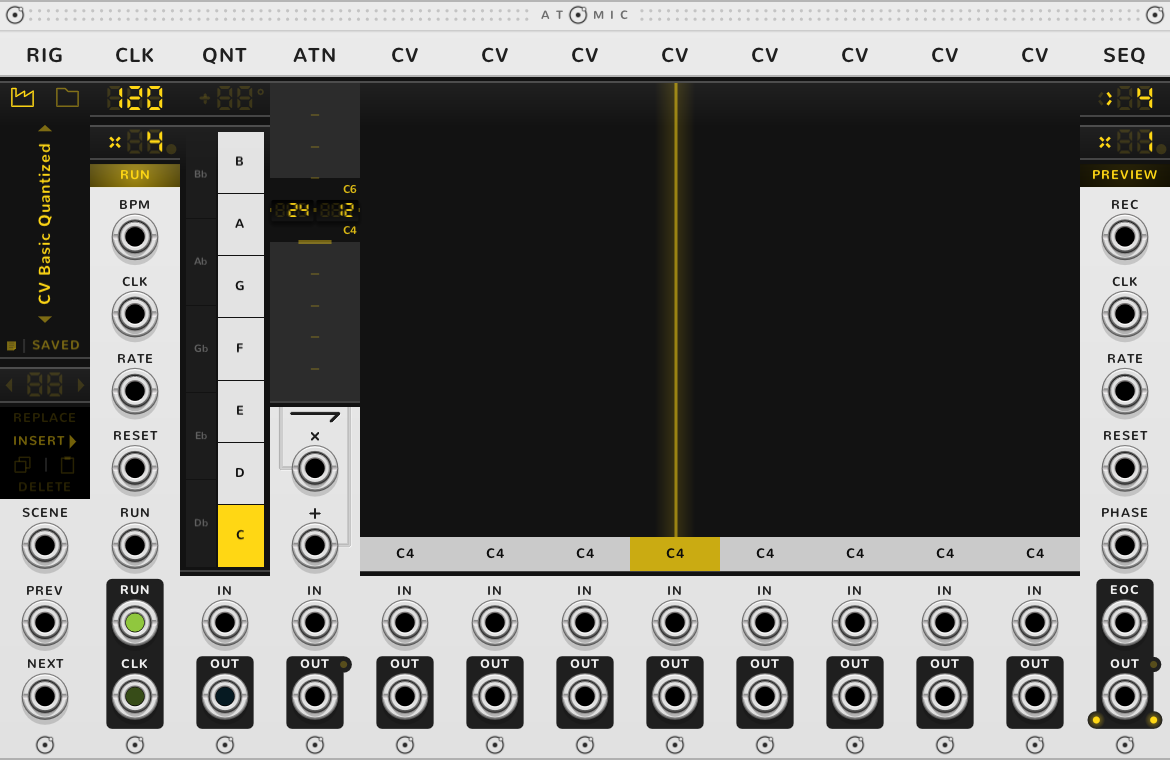
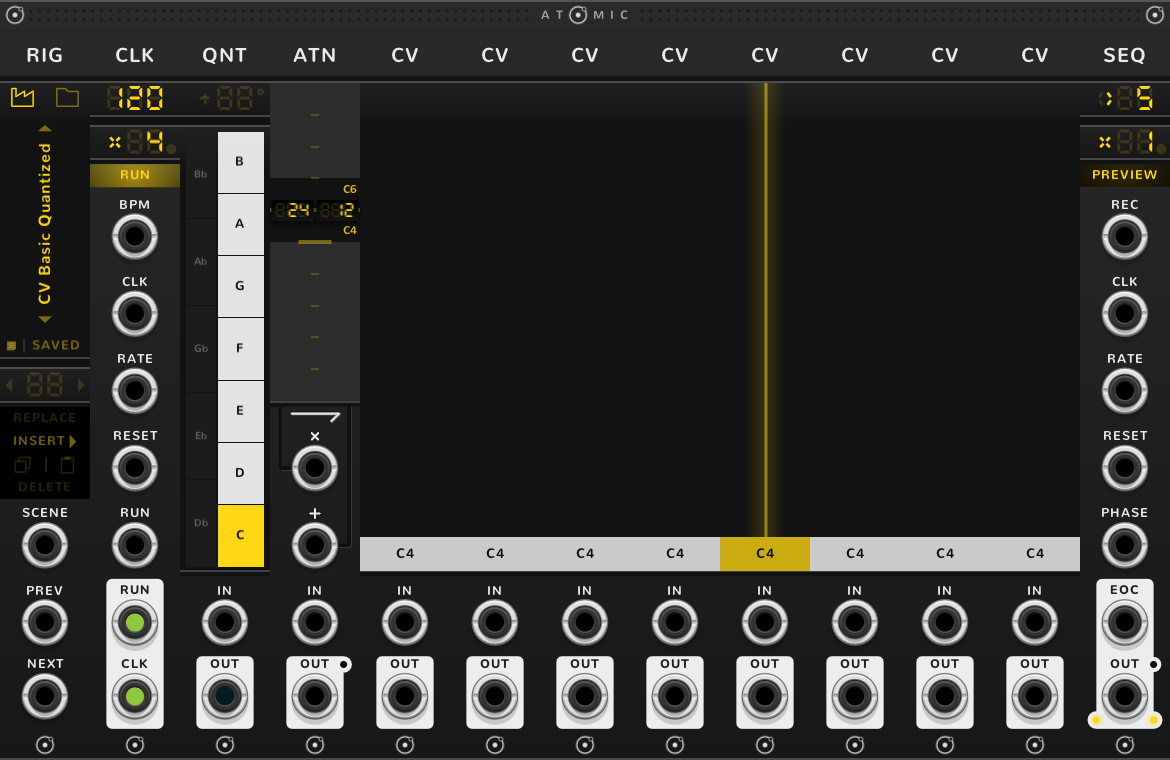
A scene is the settings of every module to the RIG's right: every fader, curve, key, trigger, rate, tempo and mode, even a CLK's RUN and a SEQ's step. It holds no cables. A RIG holds up to 255 scenes. Set the rig as you like and click INSERT: that is scene 1. Change some faders and click INSERT again: that is scene 2, after the one showing. Click ◂ or ▸ on the scene screen, or drag on it, to go between them; each scene is recalled as it passes. Recalling a scene sets every module to it, so a change you have not stored with INSERT or REPLACE is overwritten; Undo brings it back. Store a different melody on the same CVs in each scene, or one pattern in four keys, and step through them with triggers into NEXT.
A trigger into NEXT or PREV recalls the next or the previous scene, going round from the last to the first and back, as the arrows do.
INSERT always stores the rig as it stands. REPLACE writes the rig as it stands over the scene showing, and pulses while the two differ. DELETE takes the scene showing out, and the scenes after it move down one: the scene that took its number now shows, and is recalled. Each is one undo.
COPY, the left of the two icons under INSERT, copies the scene showing; PASTE, the right one, puts the copy in as a new scene after the scene showing and recalls it. There is no pasting over a scene, so to put scene 2 in place of scene 5: COPY on scene 2, go to scene 5 and DELETE it, then go to scene 4 and PASTE: the copy becomes scene 5. The copy stays within one RIG and is not saved.
Going to a scene with ◂ ▸, a drag, or NEXT or PREV restarts every SEQ and CLK to the RIG's right, as the bracket's RESET does, so each scene starts from its first step. SCENE, below, never restarts anything.
By voltage
SCENE picks a scene by voltage: 1 V is scene 1, 2 V scene 2, and so on; anything below 1 V, 0 V included, is scene 1, and anything above the last scene is the last. 10 V is scene 10, so a source that stops at 10 V reaches the first ten scenes; NEXT and PREV reach them all. SCENE does not go round: a voltage rising past the last scene stays on it, so a saw into SCENE jumps from the last back to the first, and a triangle sweeps there and back.
Between two whole volts, say at 1.5 V, SCENE morphs the two scenes. Sliding from one scene to the other: CV faders, a CRV's start, end and shape, an ATN's gain and offset, a CLK's tempo, rate and pitch, a SEQ's rate and slew time, and a MIX's faders. A rate slides through the rates between, whole or not: from x2 to x3 it passes x2.5. Switching halfway, each taking the nearer scene's value: lit keys and roll notes, a QNT's variant, transpose, detune, octaves, parts and spacing, triggers and how many there are, every mode, direction and on or off, a SEQ's step and whether its rate is whole or free, a CLK's RUN, a MIX's mutes, and the labels of a MIX or POLY.
A slow LFO into SCENE drifts between two patterns; a stepped voltage jumps, and the SEQs play on, since SCENE never restarts anything. While SCENE is patched, the jack chooses the scene, and NEXT, PREV, the arrows and a drag on the scene screen do nothing. A setting moved by hand stays until the voltage at SCENE moves, which sets every module again.
Only a whole volt gives a scene unmixed, so a voltage a few millivolts off gives a slight morph. A source that sends exact whole volts needs nothing more. For one that drifts, quantize it first: a QNT as a volt divider of 10 parts, standing apart from the rig with a space between, its OUT cabled into SCENE, and each scene sent at its volt plus 0.1 V, 3.1 V for scene 3. The divider goes to the line at or below the voltage, so 3.1 V comes out as exactly 3 V. Bonded into the rig, the QNT would be saved with it and would put the CVs to its right on its lines.
Saving
SAVE opens Rack's save dialog in your folder, where you name the file; the rig is listed under that name, and renaming the file renames it. The dialog offers a name not yet used, so a plain click makes a new file each time. To save over the file the rig came from, as after adding scenes to a rig already saved, Shift-click SAVE: the dialog opens on that file, and Rack asks before writing over it. The factory's rigs are replaced on every update, so SAVE never writes there.
The file holds the modules, the cables between them and to the RIG's own jacks, the scenes and the note. Cables to modules outside the rig are not saved, and a module whose plugin is missing is left out when the rig is opened. The file is a Rack selection (.vcvs), so Rack's Import selection opens it too, without the scenes.
The button reads SAVE, lit, once the rig has changed since it was saved or opened, and SAVED, dark, until then. With no scenes, a change of any setting lights it, and the file keeps the settings as they stand. Once there are scenes, the file keeps each module as the scene showing holds it, so a fader moved and not stored with REPLACE or INSERT is not saved and does not light SAVE; what lights it is a module added or taken out, the order of kinds changed, a change to the scenes, or the note. A cable added or pulled does not light it either, though a save keeps the cables as they stand. A saved rig reopens on the scene it was saved on, with its cables.
The note
Each rig carries one note, saved in its file. To read it, rest the pointer on the rig's name. To write it, click the small square at the left of SAVE and the note opens on a screen beside the name; click the square again, or press Escape, to close it. The edit is one undo, and SAVE lights.
Shortcuts
| Where | Gesture | What it does |
|---|---|---|
| Name | Click | list the rigs and pick one |
| Arrows | Click | the next or previous rig, in place of the rig to its right |
| Icons | Click | the factory's rigs, or your own |
| SAVE | Click | save the rig as a new file |
| SAVE | Shift-click | write over its file |
| Note | Click | open or close the note |
| Note, open | Escape | close it |
| Scene | Click ◂ or ▸ | the previous or next scene, restarting every SEQ and CLK |
| Scene | Drag | step through the scenes, restarting every SEQ and CLK |
| REPLACE, INSERT, COPY, PASTE, DELETE | Click | the current scene, one undo each |
On every module
| Where | Gesture | What it does |
|---|---|---|
| A value on a screen | Double-click | back to its default |
| Any part | Rest the pointer | a tooltip explains it |
| A module's title | Hold ⌘* or Alt | the Atomic menu: change this module into another kind, or insert one beside it |
| The Atomic menu | Add Shift, click DELETE on its top line | delete the module |
| The bracket | Delete | remove the whole rig |
| The bracket | ⌘-D or Alt-D | duplicate the rig; with Shift, its cables too |
| ATOMIC on the bracket | Click | it reads RESET under the pointer, and starts every SEQ and CLK of the rig again |
* ⌘ is Ctrl on Windows and Linux.